AI Feature & Platform
Promptcase
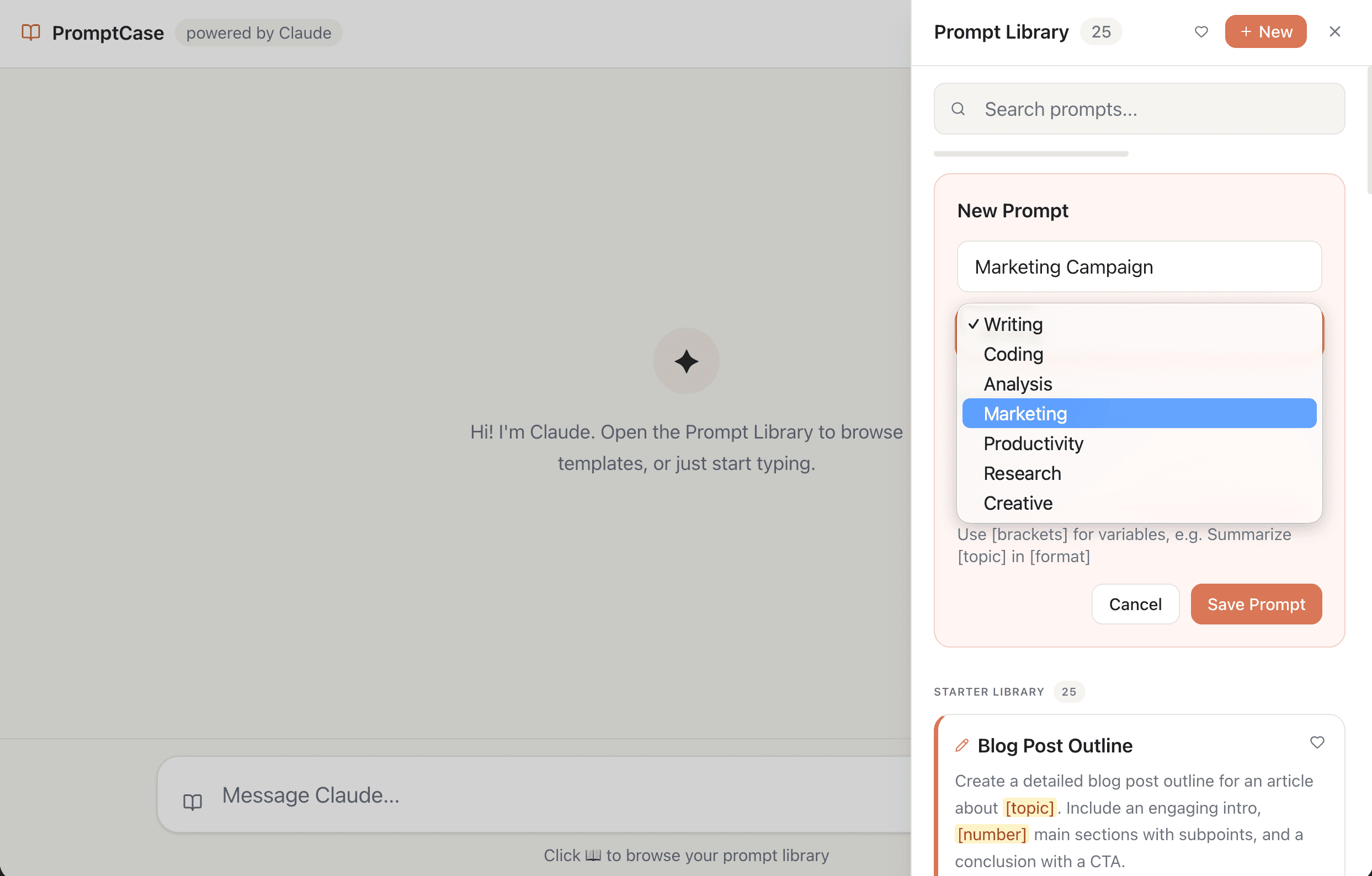
Integrated prompt library that lives directly inside a chat interface powered by Claude's API with a Supabase backend.
Project overview
Role: UX/UI Design, Development
Timeline: 3 Months
Category: AI Feature & Platform
Live: View Project →
What I worked with:
Promptcase
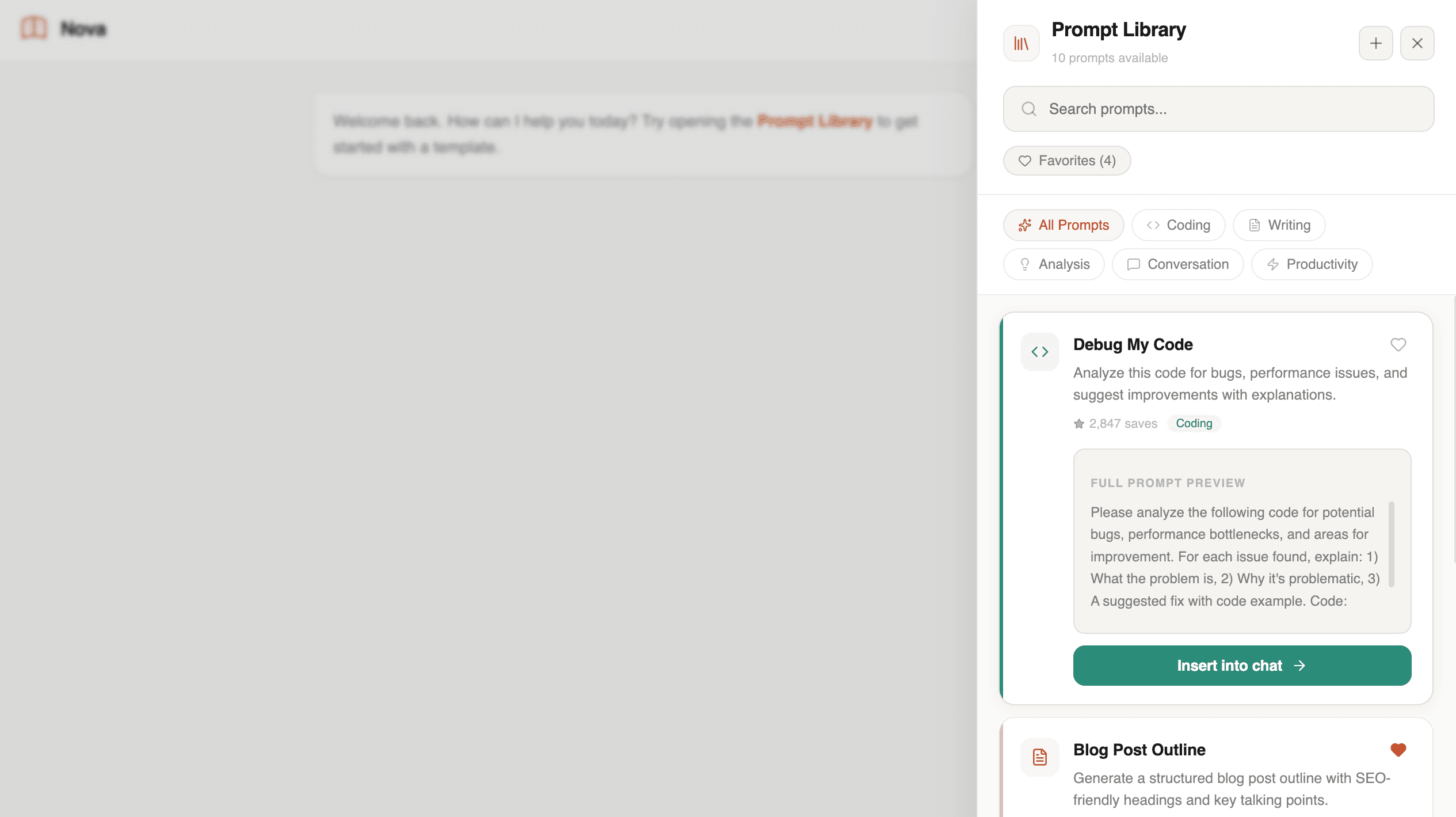
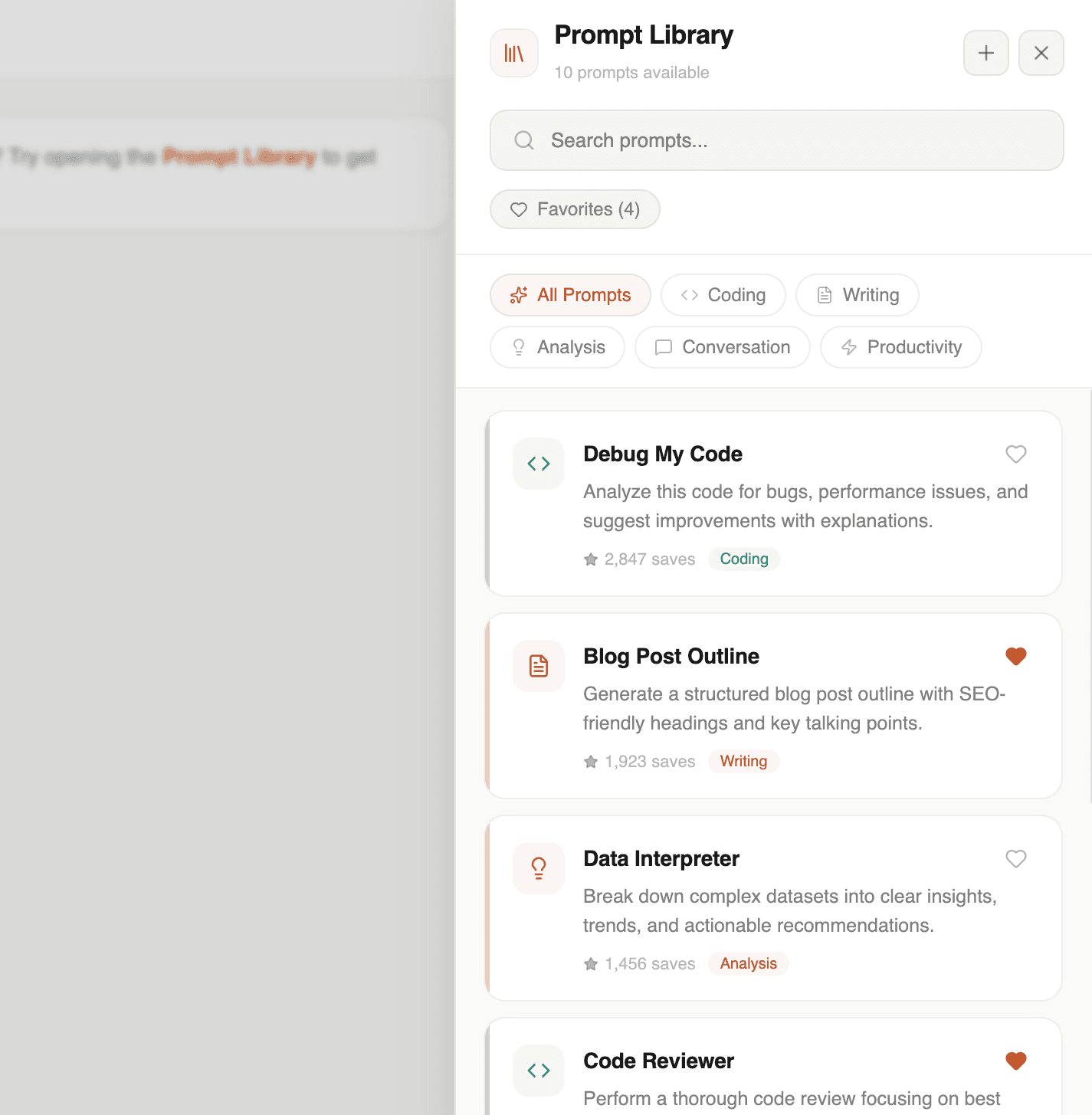
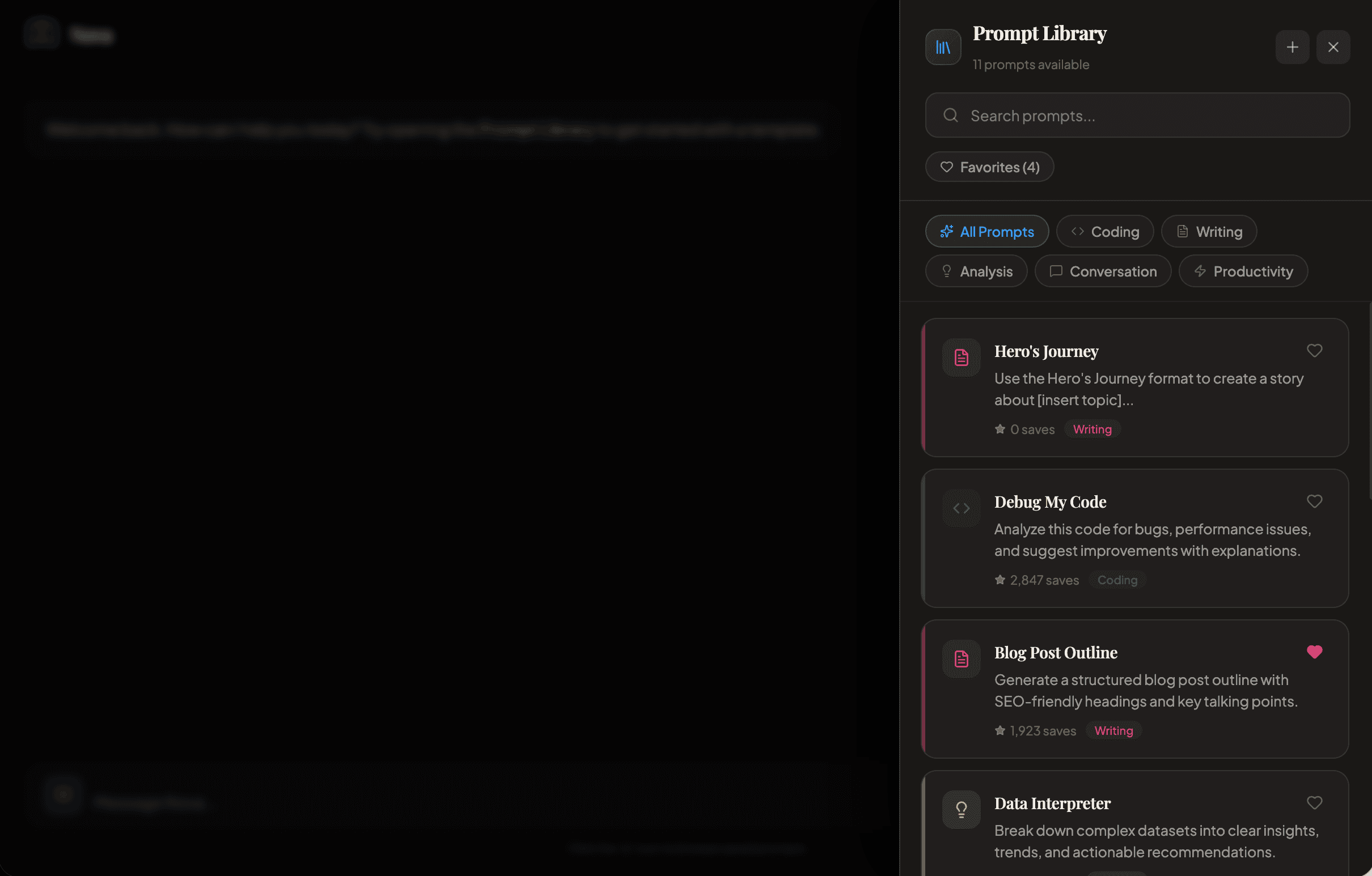
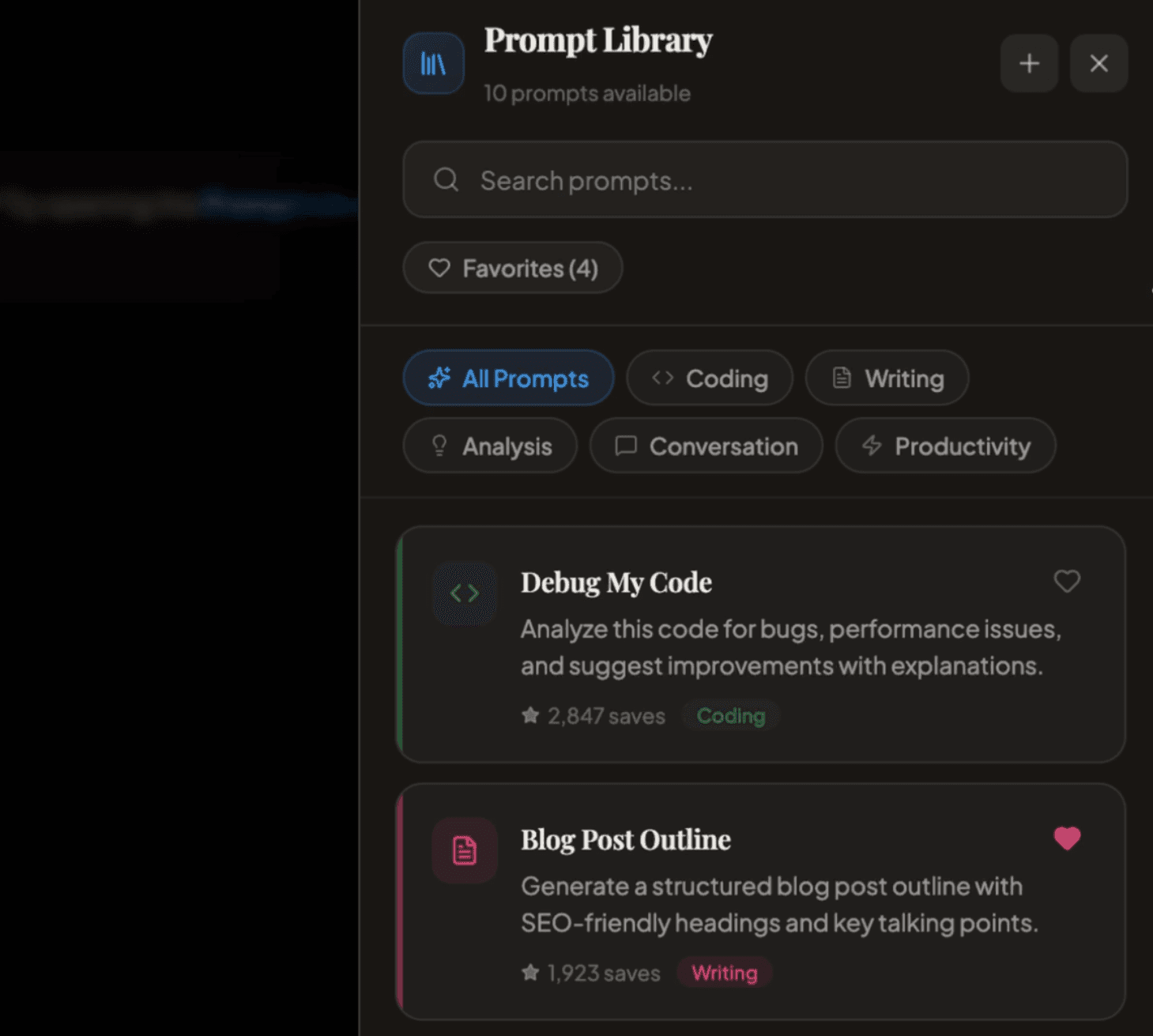
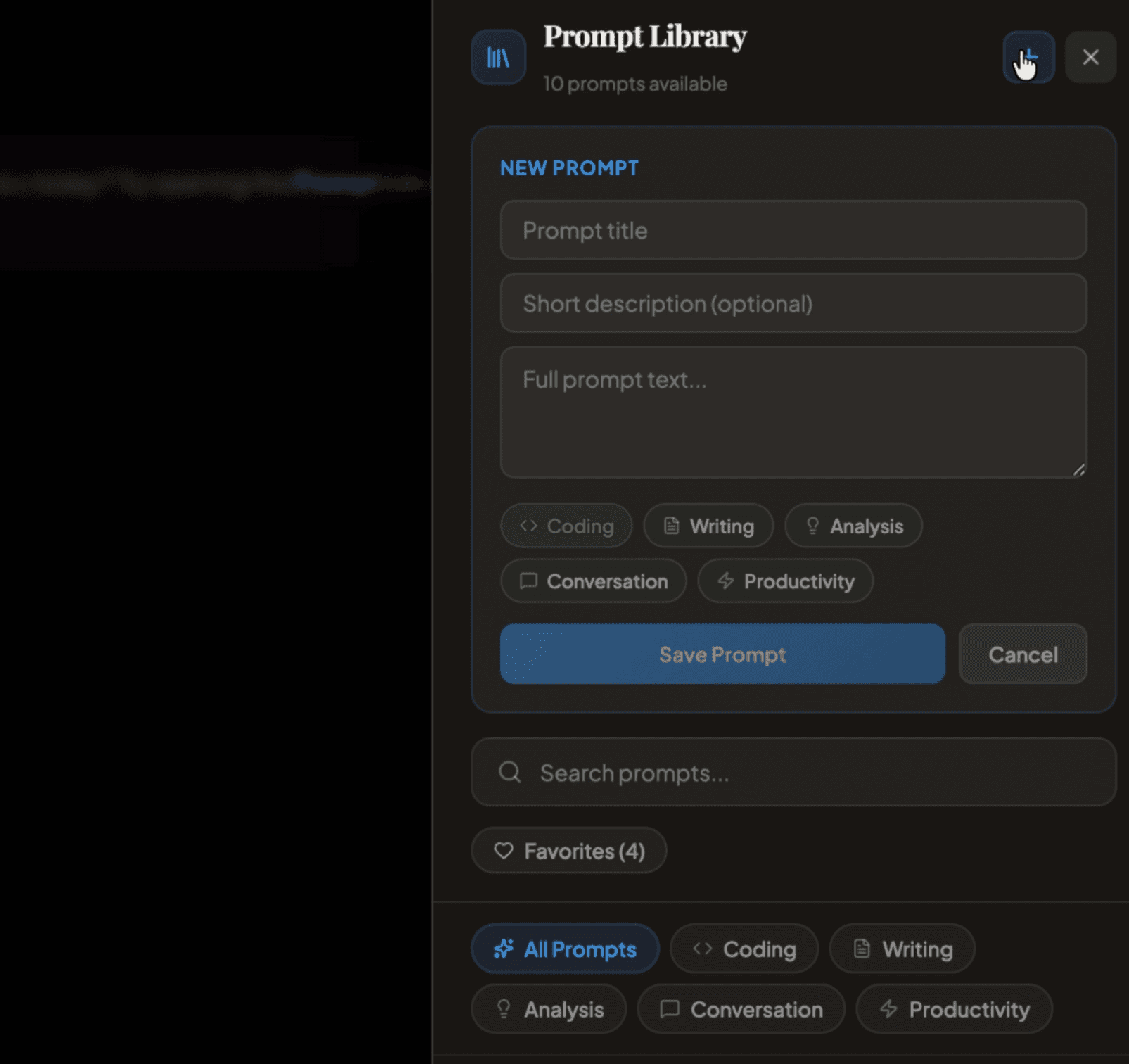
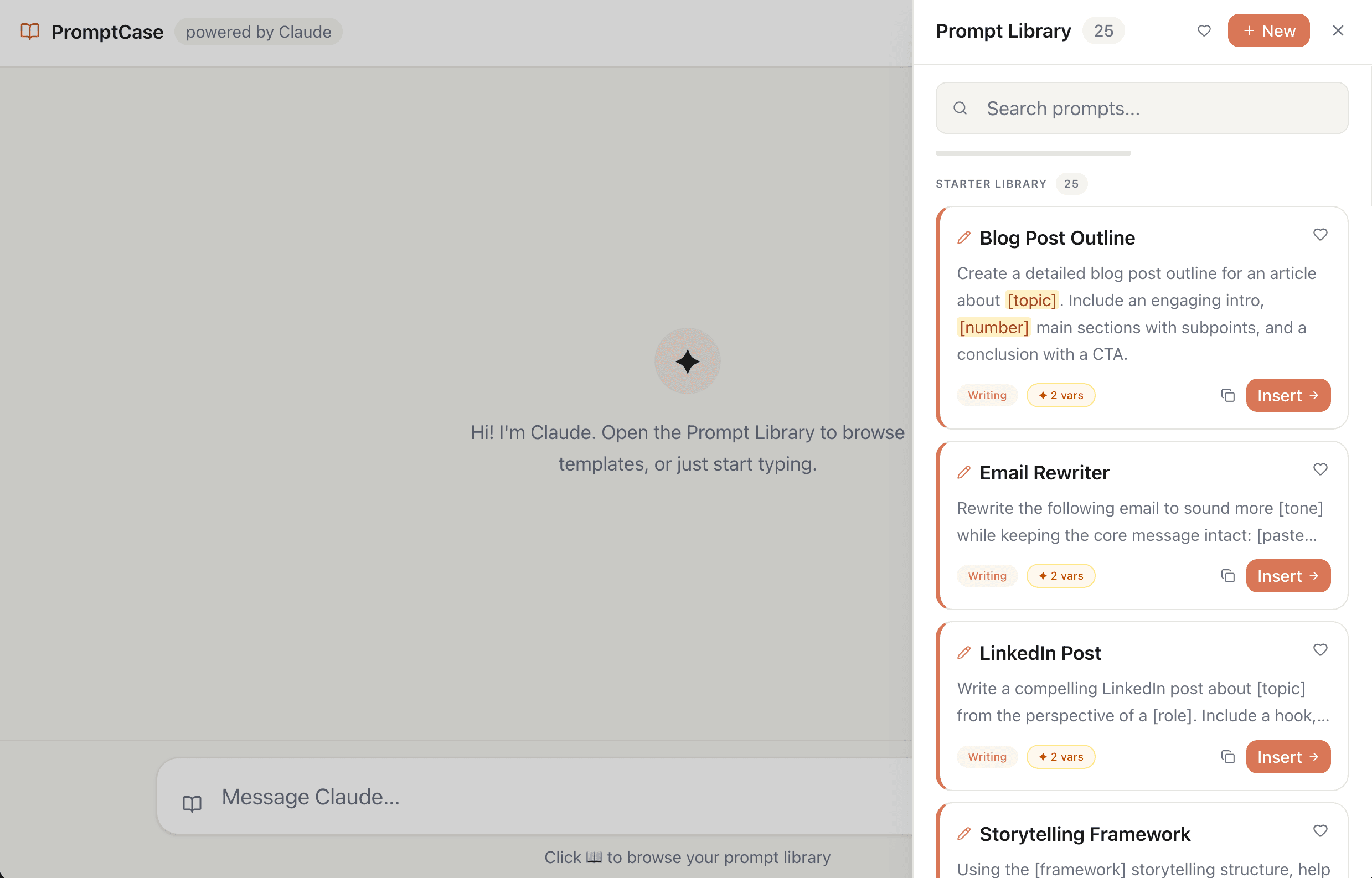
A prompt library that lives directly inside the chat interface, accessible with one click, searchable, and organized by category

What I worked on:
- 01Performed research in the form of user interviews to determine pain points around creating, managing, saving prompts and putting them into use
- 02Iterated on design solutions on a solution that wouldn't crowd the pre-existing interface
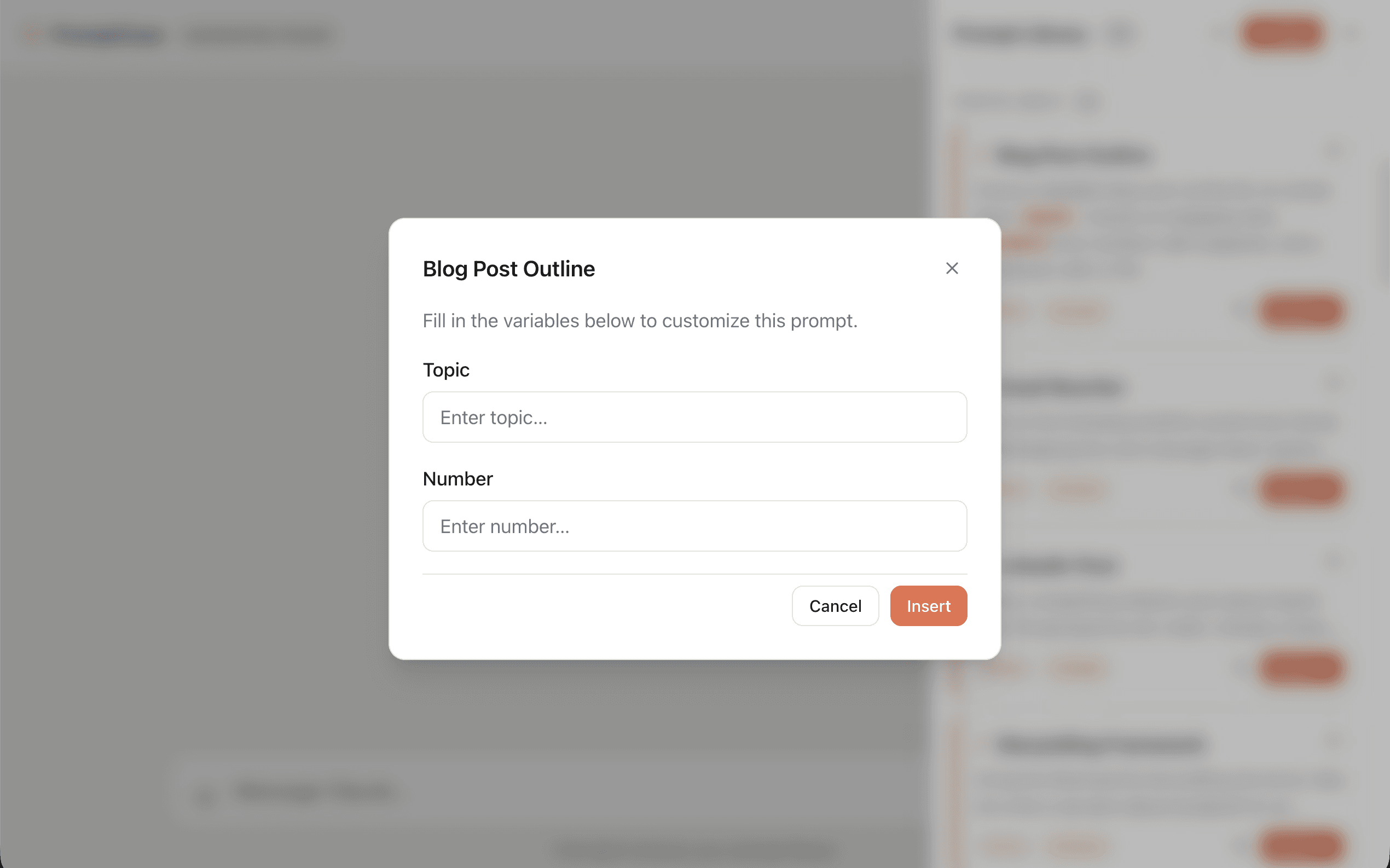
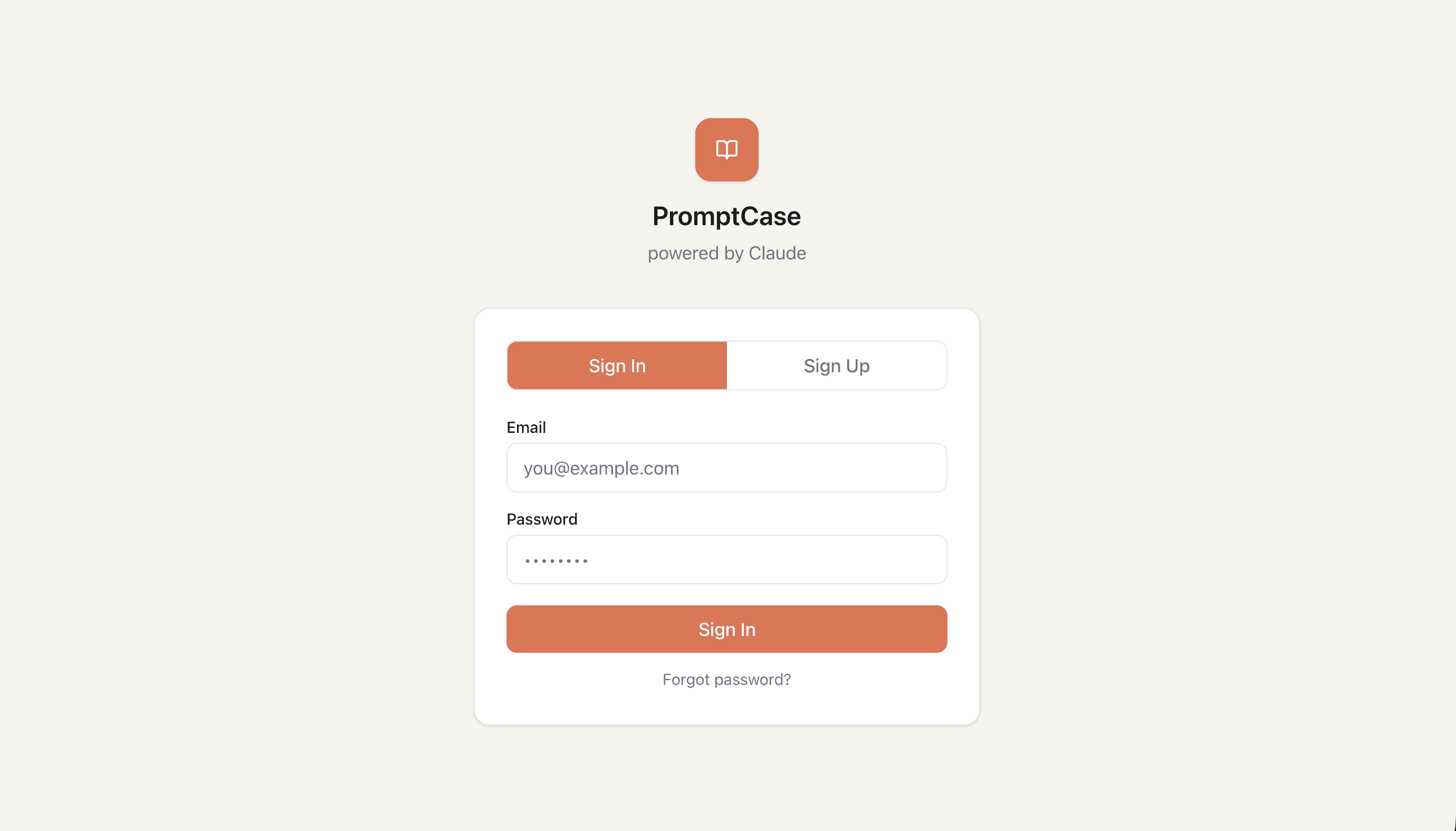
- 03Implemented a solution by using Supabase to enable users to login or sign up and use their API key securely to enable Claude to respond to prompts in the library or prompts the user added in
Project Ideation & Iteration
The Challenge
The problem to solve
Prompt engineering has become essential to getting great AI outputs, but saving and reusing prompts means switching between tools, bookmarks, and scattered notes. Users were losing their best prompts across browser tabs, documents, and chat histories. There was no native way to build a personal prompt library within the AI environment itself — the place where prompts are actually used.
Research & Approach
How I approached it
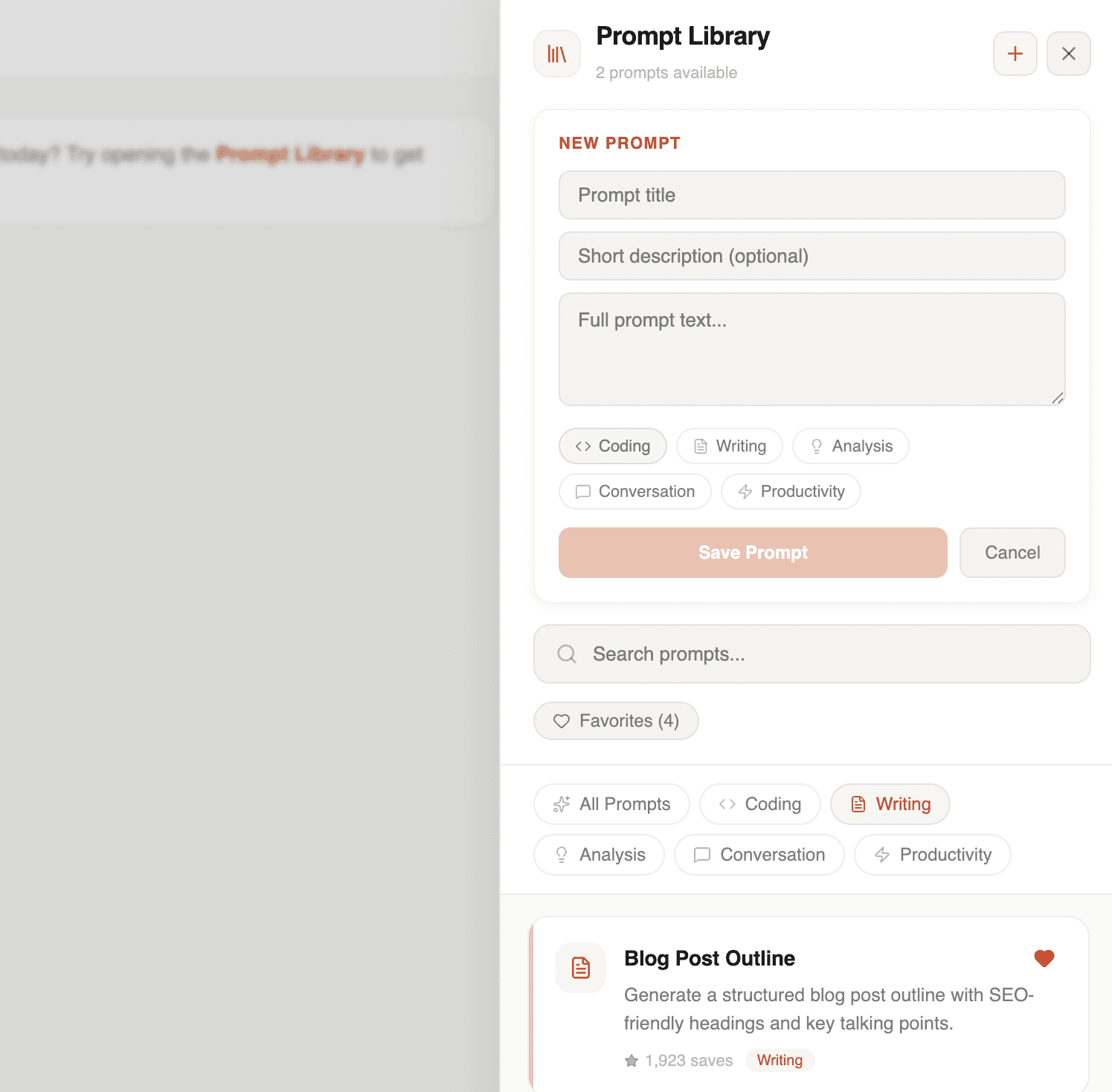
A prompt library that lives directly inside the chat interface — accessible with one click, searchable, and organized by category. The design prioritizes zero-friction access. Users can browse curated prompts, save their own, and insert them into conversations with Claude instantly. Has auth login/sign up capabilities through Supabase. The interface stays minimal and unobtrusive so it enhances the chat experience rather than cluttering it.
More Screens
Lessons Learned
- 01
It can be difficult to iterate once you have a product built. Feature branching is one way to test different features, but for this project I initially built out a prototype for feature development that simulated what a prompt library within a chat would look like.
- 02
Only after the first iteration was completed did I decide it would be better to create a fully functioning option that leverages Anthropic's API to actually have a AI chat environment integrated. In the end, it was easier to start fresh with a detailed CLAUDE.md file than iterate on the existing project. This made me realize that the better approach is to always take the time to think through what the core product should be, and then use feature branching to iterate.
Up next